
Attendance Payroll Trust
Where attendance and
payout finally agree
No disputes. No guesswork. Just accurate payroll, every time.
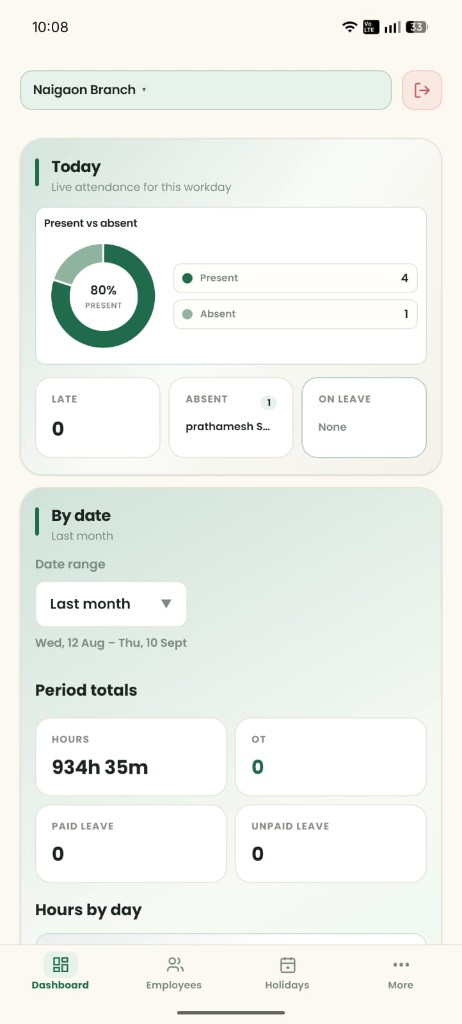
Web Dashboard Team
Most apps stop at your phone.
Ours doesn’t.
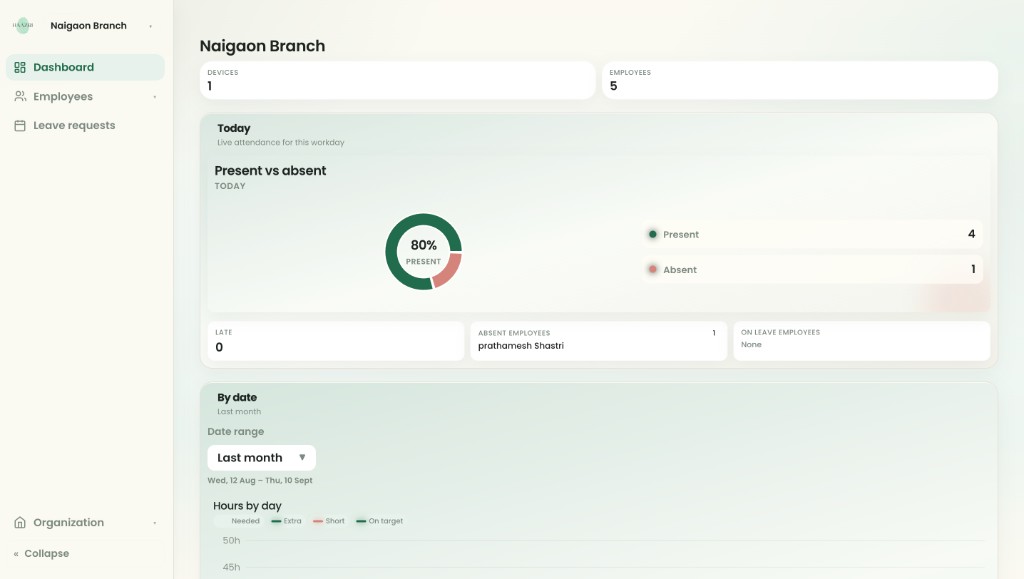
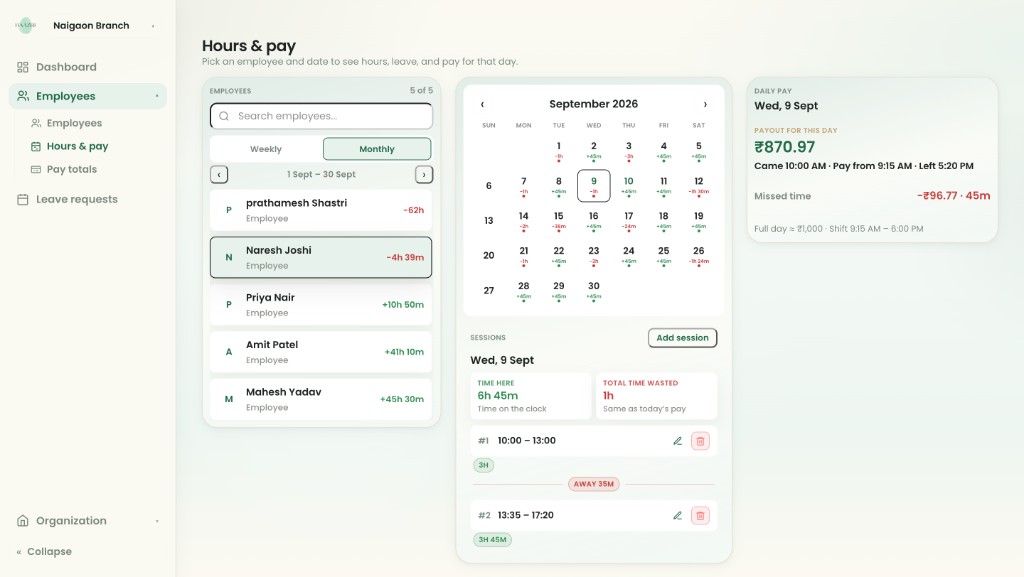
See attendance, hours, and payouts for the whole team — on a screen built for running the business.
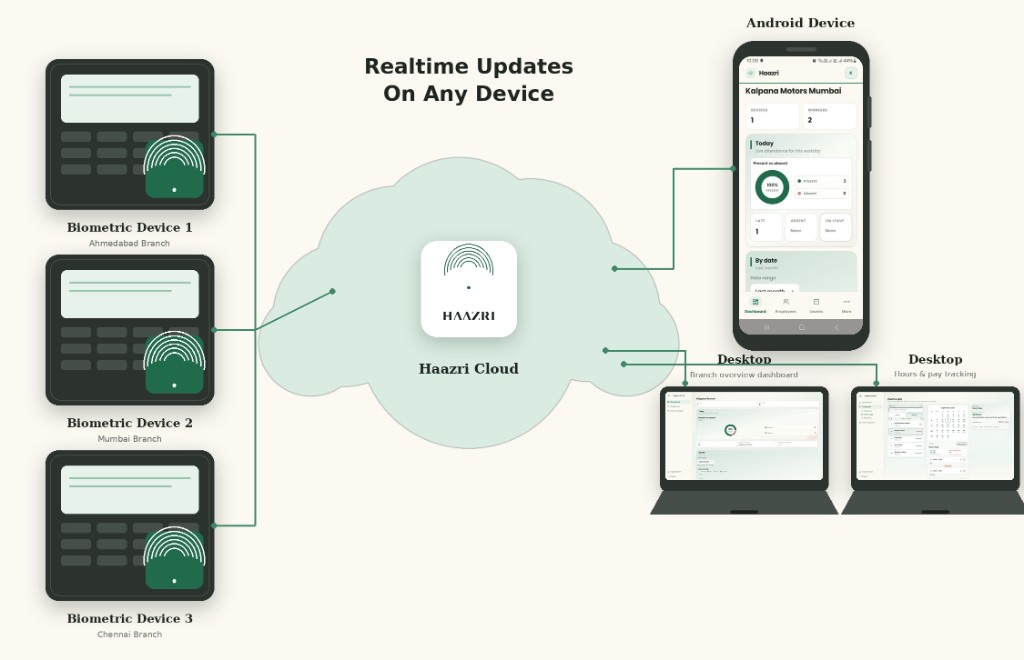
Biometric Plug in Keep it
Already have a machine?
Keep it.
Haazri connects directly to your existing device, pulling real punch-in and punch-out data straight into accurate attendance and payroll — no selfies, no GPS guesswork, no new hardware to buy
Leave Mobile Control
Leave management system
you can trust.
Empower your workforce while maintaining total operational control. Our leave management system allows employees to request time off and check approval statuses directly from their mobile app — reducing workplace disputes and ensuring 100% payroll transparency.
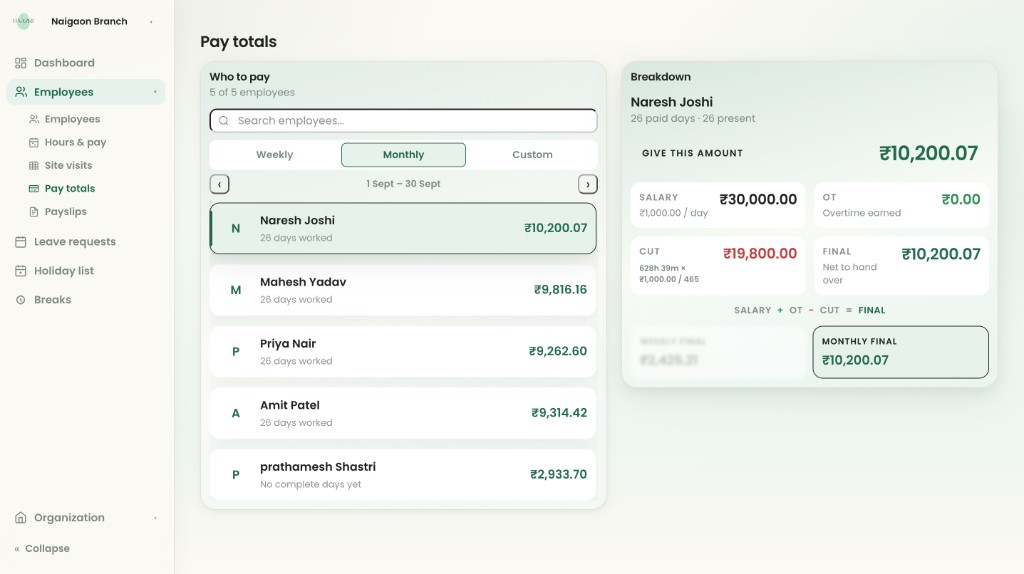
Hours Pay Org view
See every rupee tied to
real clock time.
Owners and payroll leads get branch-wide hours, missed time, and daily payouts in one place — so disputes end before payday, not after.
Live demo No signup Try now
Try it without
signing up.
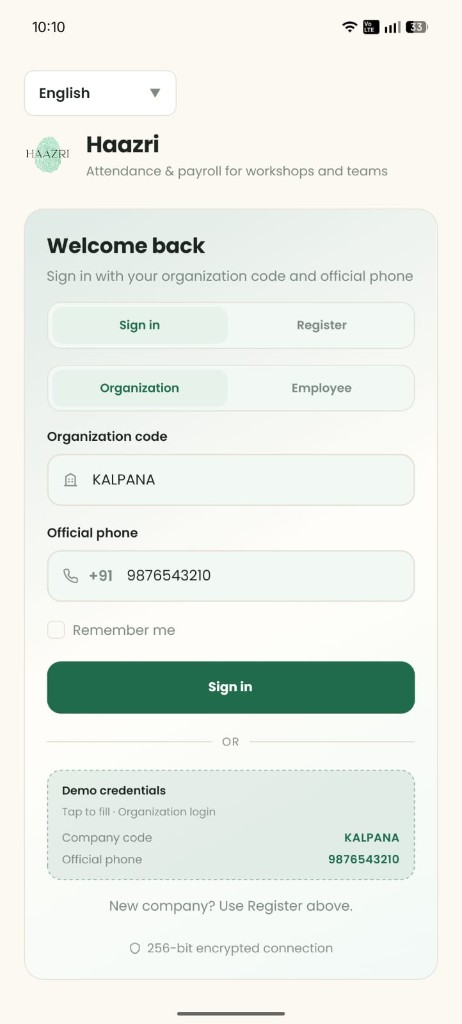
Open the live demo, use the shown credentials, and walk the same organization login owners use every day.
Setup Connect Go live
Four steps.
No drama.
From organization setup to payout review — clear steps, no fluff.
-
01
Create org
Register your company and sign in as owner.
-
02
Create workspace
Add a branch or floor, then plug in punch.
-
03
Create workers
Add people, shifts, and pay rules.
-
04
Track & pay
Review attendance and run payouts.
FAQ Answers Help
Straight answers.
No fluff.
Quick answers about demo access, biometrics, platforms, and pricing.
Can I try Haazri without signing up?
Yes. Use the live demo and explore attendance, hours, and payouts before you commit.
Do I need a new biometric machine?
No. Keep yours — we plug into existing devices that can push punches to Haazri.
Is Haazri only on Android?
Employees use Android. Owners and managers also get the full web dashboard.
How does best-price work?
Compare indicative market pricing by headcount, then WhatsApp us for a Haazri quote — we stand behind best price in market.
PagarBook vs SalaryBox
Compare priceReady when you are.
Get the app